
Wine cellar software for PC and Mac, with nothing to install
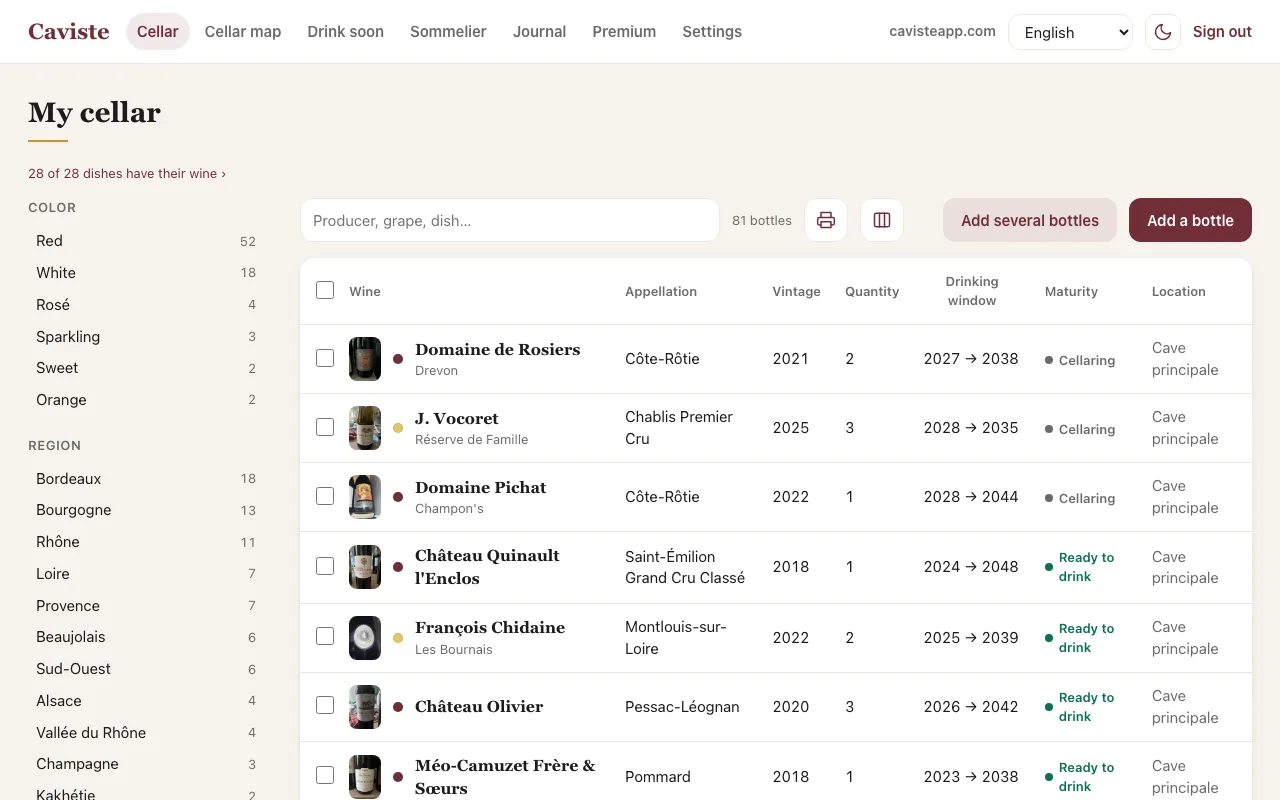
Wine cellar software used to be installed on one computer, and the cellar stayed on that computer. Caviste opens in your browser, on PC, Mac or Chromebook, with the same account as the phone app: the bottle you scanned in the cellar is already in the table when you get back upstairs.
Free up to 30 wines, no card and nothing to download.
On your phone, the iPhone and Android app


Your cellar in the browser, with nothing to install
Go to app.cavisteapp.com and sign in as you do on your phone: with email, Apple, Google or Facebook. Nothing to download, nothing to update, no licence per computer: Windows, macOS, Linux or Chromebook, all it takes is a recent browser. And if you change computers, your cellar does not stay behind on the old one.
The big screen for sorting, the phone for the cellar. One cellar, both up to date.
The big screen, for the heavy lifting
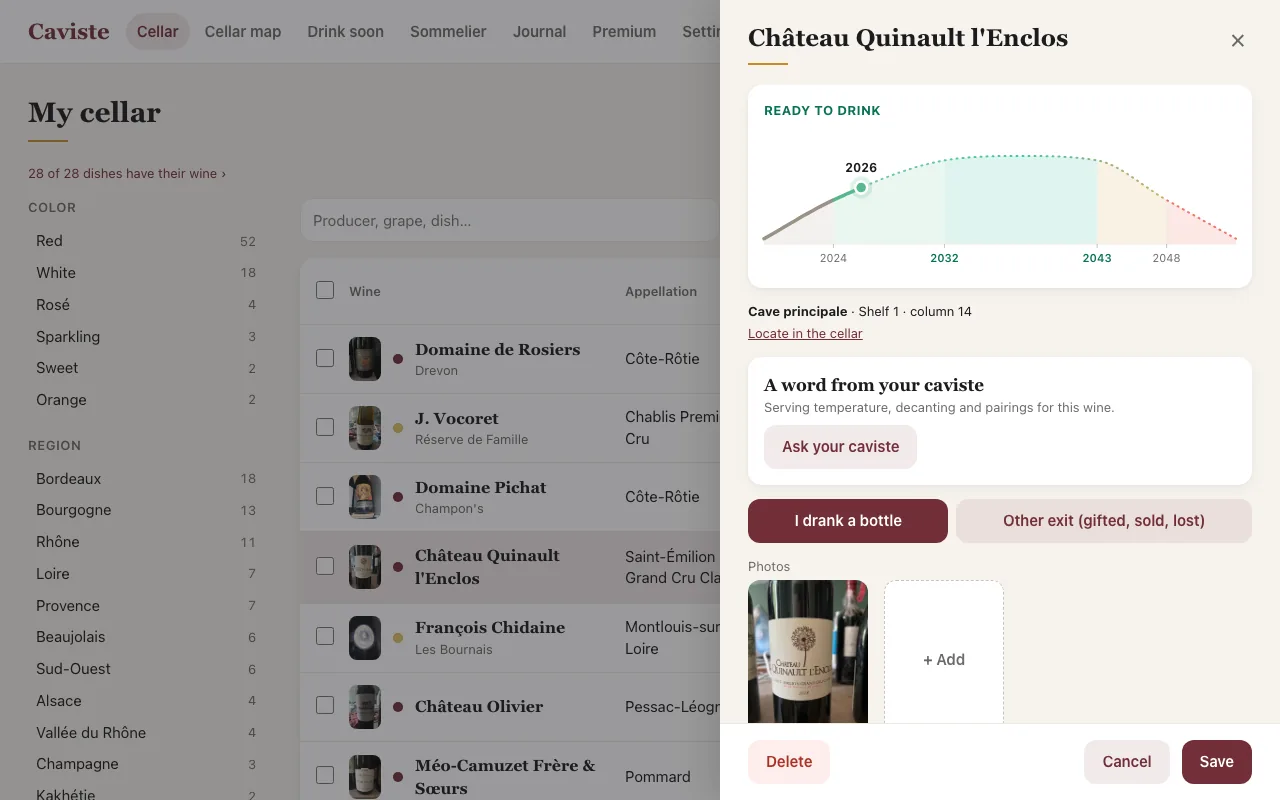
Your whole cellar fits in one table: sortable columns, filters by colour, region, grape, vintage or location, and search across all the text. You can fix twenty bottles at once with bulk editing, search and add bottles from the keyboard, and import an Excel file, a CellarTracker or a Vivino export without going through your phone. CSV import and export are free, both ways.
The phone, for the cellar
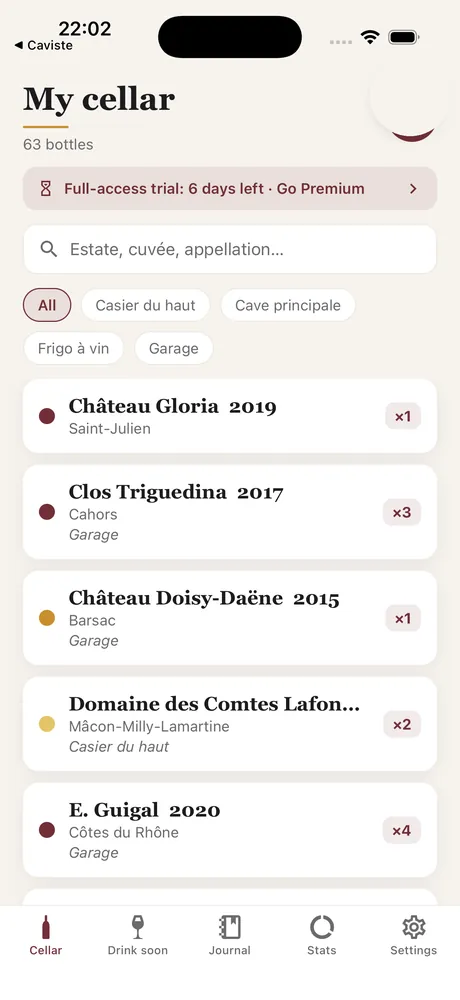
In front of the rack, the app is what you use: photograph the label, the entry fills itself in, and you place the bottle on the map. Everything is on the same account, so what you do on one side is already on the other. The "Drink soon" screen is the same everywhere, and a monthly email can remind you of what is reaching its peak.
Print and share
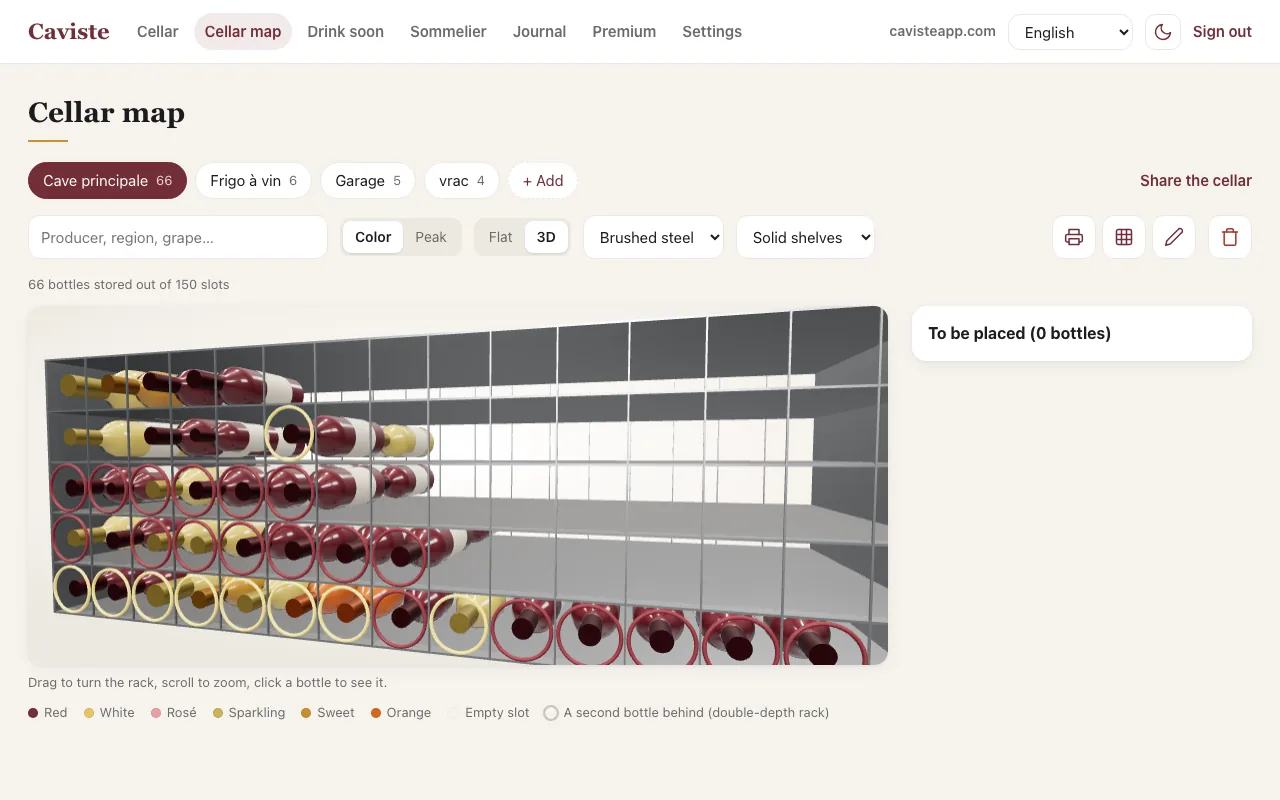
From your computer, Caviste prints the inventory of your cellar, labels for your racks and the map of each location. A sharing link shows your cellar to someone else, with no account and no app: they see the wines and where they are, never the prices, notes or photos. These four features come with Premium and with the 7-day trial.
Installed software, spreadsheet or browser?
Caviste runs on a computer with nothing to install, at app.cavisteapp.com: your cellar as a table, Excel import, a map of your racks and a drinking window for every bottle. The same account works on your phone, and Premium covers both.
| Installed software | Spreadsheet | Caviste in the browser | |
|---|---|---|---|
| Installation | A program to install on each computer | Excel, LibreOffice or Google Sheets | None: an address in your browser |
| On your phone | Depends on the software, often not | A file that is hard to read on a small screen | An iOS and Android app, on the same account |
| Adding a bottle | By hand, field by field | By hand, row by row | A photo of the label, or import your file |
| When to open | Depends on the software, often typed in | Work it out yourself | A drinking window for every bottle, editable |
| Cellar map | Depends on the software | A grid you draw yourself | Your racks drawn, in 3D, printable |
| Your data | A file on the disk, to back up | A file, to back up | On the server, exportable as CSV at any time |
| Price | A licence, depending on the publisher | Free or part of an office suite | Free up to 30 wines, then 24.99 €/year, app included |
Categories described in general terms, without targeting any particular product. Features of the Caviste web version checked in November 2026.
What is free, what is Premium
The free version keeps 30 wines with their drinking windows, the flat cellar map, import and export, and the email reminder. Premium, at 24.99 € a year or 2.99 € a month, lifts the limit and adds bulk editing, the 3D view, printing and sharing. One subscription covers the app and the browser: subscribing on your phone unlocks the computer too, and the other way round.
Frequently asked questions
Do I need to install software to manage my cellar on a computer?
No. Caviste opens in the browser, at app.cavisteapp.com, on PC, Mac, Linux or Chromebook. There is nothing to download or update.
Is the web version the same cellar as the phone app?
Yes. Same account, same data: a bottle added on your phone shows up on your computer, and the other way round.
Can I import an Excel file into Caviste?
Yes, saved as CSV. Caviste recognises the columns, accepts commas as well as semicolons, and importing is free. It also reads CellarTracker and Vivino exports.
Is the web version free?
Yes, up to 30 wines, like the app. Premium, at 24.99 € a year, covers both and adds printing, sharing, bulk editing and the 3D view of your racks.
Is my data locked into Caviste?
No. CSV export is free and available at any time, from your computer as well as your phone. The file opens in any spreadsheet.
See also: Spreadsheet or app? · Import your cellar from Excel · All wine cellar apps compared

Caviste, on your computer and on your phone
Sort on the big screen, scan in the cellar: one cellar, always up to date.