
Your wine cellar, effortless.
Photograph the label, Caviste fills in the estate, vintage, appellation and grapes on its own. No database to dig through: the AI reads even the small growers and foreign bottles. Then it tells you exactly when to open each one.


Three moves, and your cellar runs itself
-
Scan the label
One photo. The estate, vintage, appellation and grapes fill themselves in, even for growers no database has ever heard of.
-
Drink at the peak
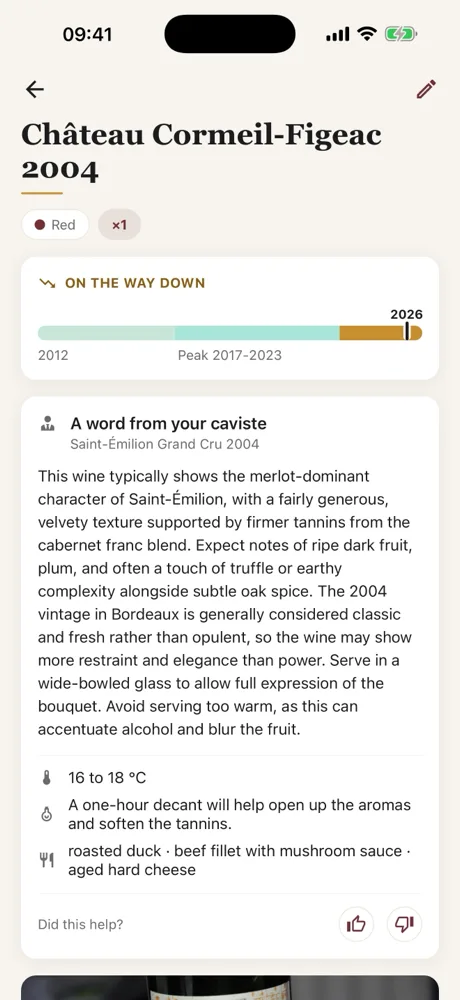
Drinking windows by appellation, and a quiet reminder when a bottle reaches its prime. Never open a great wine too late again.
-
Keep the memory
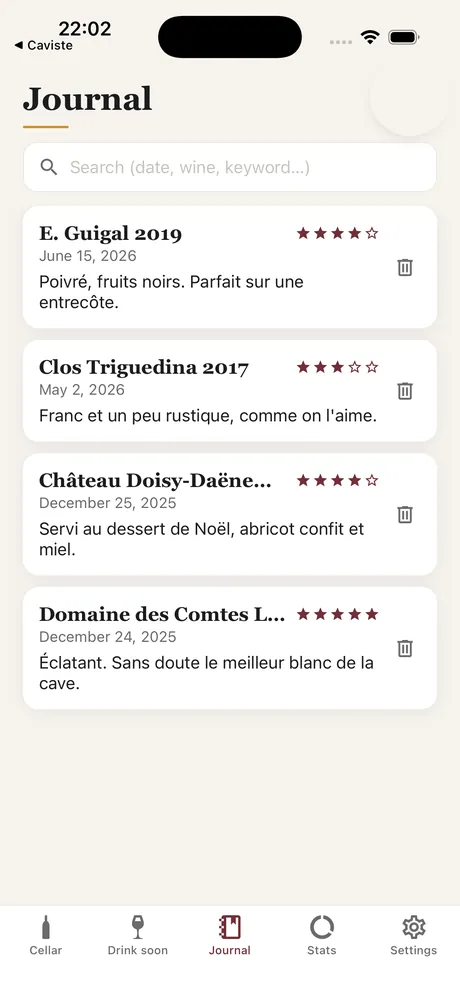
Every bottle you open leaves a trace: a rating, a note, a date. Find what you served last Christmas in two keystrokes.
"What are we opening tonight?"
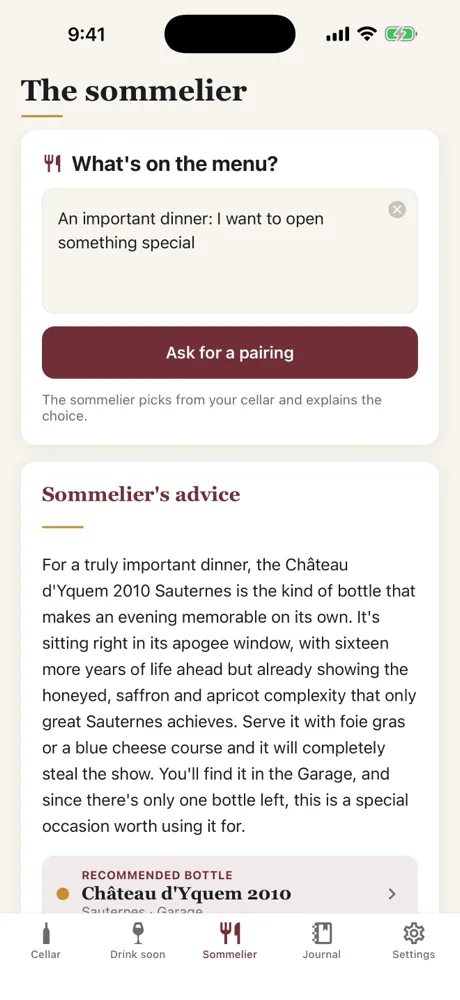
Describe your menu in one sentence, the way you would tell a wine merchant: "a barbecue with beef and sautéed potatoes". The sommelier picks up to three bottles from your own cellar, explains each pairing, tells you which one is at its peak and which rack to find it in. Nothing invented: it only ever suggests what you actually have.
And with no network and no subscription, just type a dish into the search box: your cellar sorts itself by affinity.
And which rack is it in?
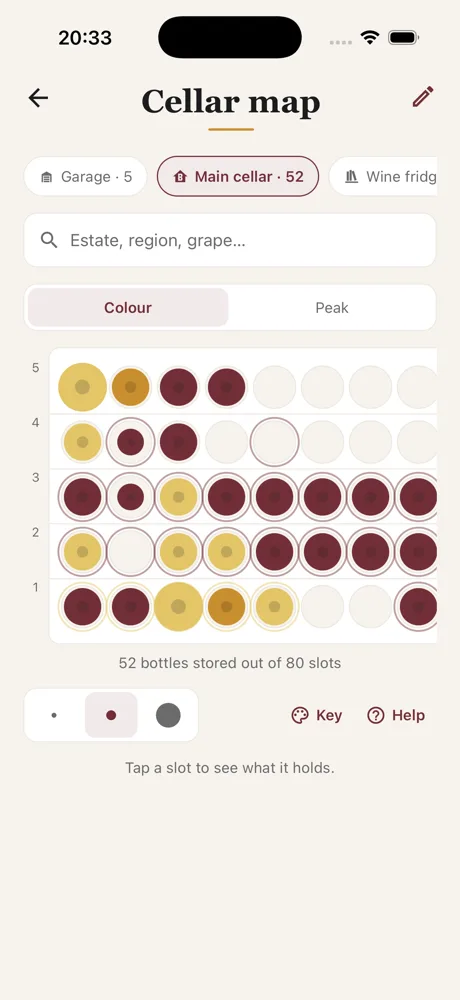
Draw your rack once, the way it really is: rows and columns, a fridge, a crate in the garage. Then drag each bottle into its hole, or let Caviste fill the free slots for you. On a bottle sheet, "Locate" lights up its spot, so a wine you own is never a wine you cannot find.
The same rack reads three ways: by colour, by how close each bottle is to its peak, or by how long it has been asleep. One glance, and you know what to open and what to leave alone.
A whole cellar, not three screens
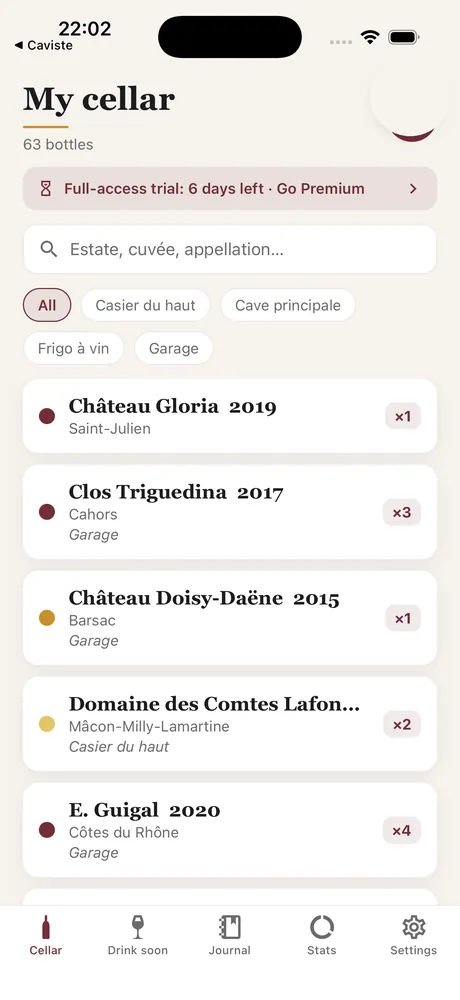
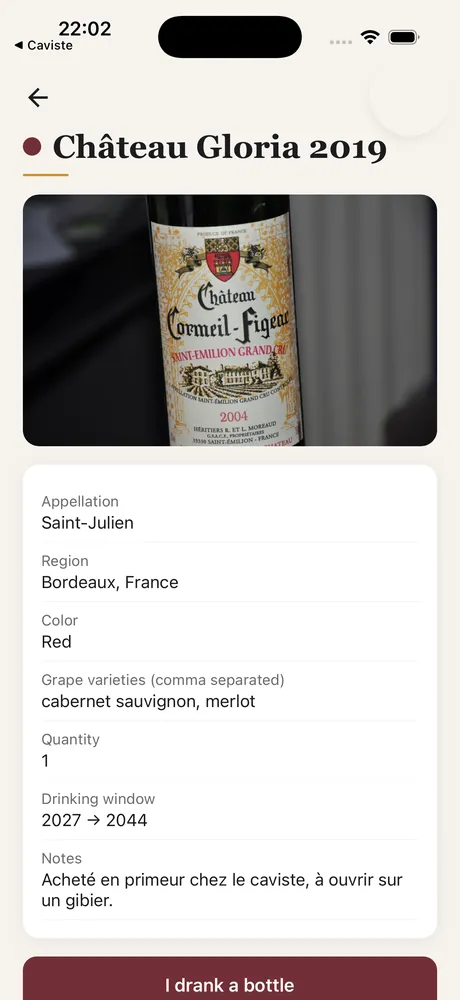
Instant search, storage locations, a tasting journal, statistics. And on every sheet, a word from your caviste: serving temperature, whether to decant, and what to eat with it. It is all there, in your pocket.
Already keep your cellar elsewhere?
Bring it with you in minutes. Import a CSV from a spreadsheet or another app (CellarTracker, Vivino…) and every bottle lands at once, drinking windows included. Free, for everyone.
How import works·Download an example file
Your caviste, in your pocket.